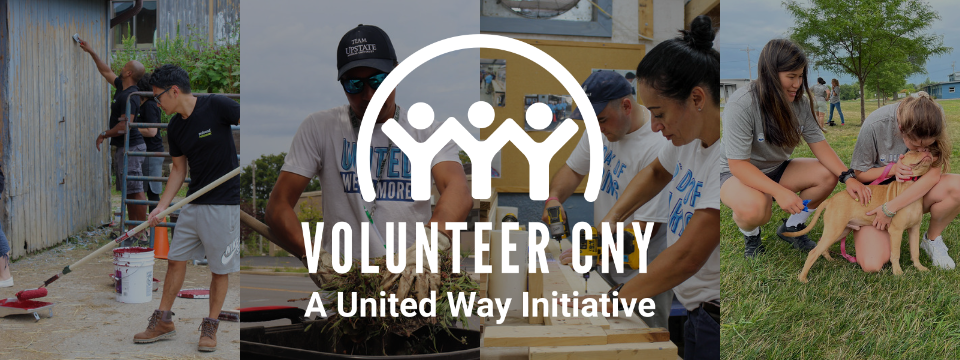

Join us for the twenty-fourth annual MLK Day of Service, the largest MLK Day volunteer-event in the great state of New York!
KEY DATES
- December 2025: Volunteer Individual & Team Registration Opens
- Monday, January 19th, 2026: MLK Day of Service!
SHIFTS AND AGENCY NEEDS
Click here to see the list of ways you can volunteer! To make an account and get started as a volunteer, click here.
ABOUT VOLUNTEERCNY!
VolunteerCNY is a United Way of Central New York initiative that connects volunteers to non-profit agencies in our community. This free resource reaches a network of more than 200 non-profit organizations in a 5-county region and volunteers can track their hours to maintain a volunteer resume that can be printed for your personal use!
QUESTIONS?
We're here to help!
Katie Hanlon, Chief Community Officer: khanlon@unitedway-cny.org (315) 428-2200
Elisabeth Osei-Kwame, Volunteer Administrator: eoseikwame@unitedway-cny.org (315) 428-2210
FOR VOLUNTEERS
We’re excited you want to join us for the 24th Annual MLK Day of Service!
Before you get started, we recommend deciding if you are volunteering as an individual, or as a part of a team. If you are part of a team, please contact your Team Leader to see if your team is signed up yet.
See below for step-by-step instructions on how to get started.
1. Sign-In:
- If you have never used VolunteerCNY, please create a profile here
- If you already have a profile, log in here
Note: If you forget your password: you can click the Forgot Password link on the login page.
2. Select Your Need:
- Search through the Day of Caring needs listed here!
- Use the Filter options to sort.
3. To respond to a need:
- As A Team – Only the Team Leader should respond and can do so by clicking the Blue Button Respond as Team and fill out the prompts.
- If you will be a member of the team, click the Add Me
- Click the Add Volunteer button to add your first team member. Complete the email and name fields. If the email for the person already uses VolunteerCNY, you will be prompted to pick their name and information will prefill.
- Unsure who will volunteer with you? Use Reserved Additional Slots.
- Agencies count on you to come with a full team! If you later decide you cannot fill all the slots, that's ok. Please reduce your team size accordingly.
- From your list, check the box to indicate at least one team leader.
- When you have added all of your team members, click Continue.
- Click Finish.
- Ready to tell your team? Send them the Join My Team link! Here's how:
- Click on your Profile in the top right corner
- Select My Teams and select your team
- Copy the Join my Team hyperlink
Please be advised: Teams should not be created after individual sign-ups, as it can create confusion for all parties. If your company or civic group is partaking in several opportunities, you'll need to create one team per Need (e.g, "Company Name, Team 1", "Civic Group, Team 2", etc.)
For more information on how to view your team details, change or assign a leader, adjust your team size, view and submit your team's volunteer hours, email your team members, and view your team resume, see the Managing Your Volunteer Team
For information on signing up as a team, see the Respond to a Need as a Team article
- As An Individual
- Click the Blue Button, Respond as an Individual.
- Check your email and VolunteerCNY inbox often for updates from United Way Central New York or from your day-of Volunteer Site Coordinator!
For more information, check out this step-by-step guide: Manage Your Volunteer Profile
VOLUNTEER FAQs
What Is the Need Length?
All Needs will have a start and end time. Most shifts are 2-4 hours in duration.
Am I Responsible for My Own Transportation?
Yes. All volunteers must provide their own transportation or make arrangements to carpool to the assigned Need location.
Do I Need to Sign a Waiver?
If you have signed up for a need on Monday, Jan. 19th at Nottingham High School with the United Way of Central New York, you will need to sign a waiver at check-in.
What if it Snows?
MLK Day of Service is held snow or shine. Keep in mind that weather conditions can easily change, and volunteers should arrive prepared for all conditions. In cases of severe weather, we strongly encourage you to make the safest choice for you.
How Do I Register My Team?
Your team leader will sign up on VolunteerCNY and add team members. You can get started here. The team leader can add team members, or they can send out a "team join" link, which people can click in order to join the team. Each team member can have their own profile on VolunteerCNY to track their volunteer hours. This is not a requirement, but an added bonus!
How Big Can My Team Be?
The limit to the size of your team is 15. In cases where teams have many volunteers, as part of a larger organization or company, we strongly recommend they register multiple teams since shifts vary in size. This will ensure a streamlined and more satisfactory experience for team members. Multiple teams from one company or organization are encouraged to sign-up for different shifts. Remember to plan ahead and keep an eye on your email to review details that will be sent through the VolunteerCNY platform.
Can I Add More Teams or Make Changes to My Registration Later?
Once you have registered, you can return to the site at any time. Just use your login credentials as your team leader and manage your profile and teams accordingly.
Are you interested in having a place to track your company or group's volunteer impact?
Email our Volunteer Administrator and request a User Group be created for your team! The benefits include:
- User Group leaders can add and delete individuals in a given User Group
- A customizable "user group" landing page with a description of your mission and vision for the group. Includes:
- User group resume detailing the number of hours and volunteer impact
- Potential for uniquely assigned needs
My Team Has Cancelled - What Do I Do?
We understand that sometimes due to unforeseen circumstances you might need to cancel.
- From your profile drop-down (with your initials or profile picture), select MY TEAMS.
- You will be taken to a table listing all of the teams you are a part of, whether as a team member or a team leader.
- Click Manage Team, located in the Options column, for the team you wish to unregister.
- Scroll to the bottom of the page and click Unregister Team.
- Click Yes to confirm the registration

